
SFXPick
A downloadable tool for Windows
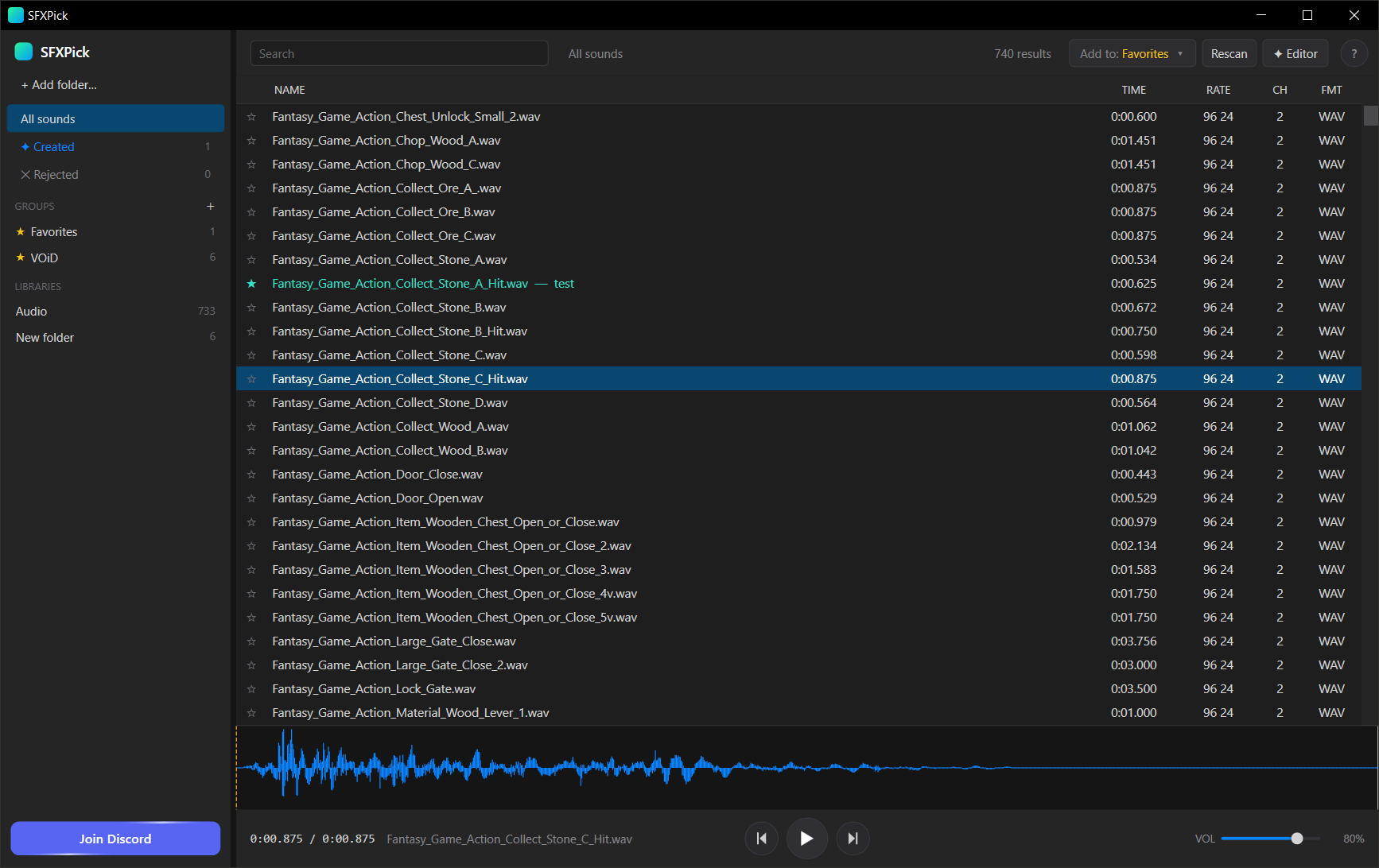
SFXPick is a fast, local Windows app for blitzing through a huge folder of audio, music or SFX, and picking the best one, fast. Point it at a folder, then fly through thousands of clips with the keyboard. Downloaded a pack of 40 "sword swing" SFX and need the one? You'll have it in seconds.
Modeled on pro sound browsers: a dark, dense list, a library sidebar, and a full-width waveform and transport pinned to the bottom. Free, offline, no account.
⚡ The fast-pick loop
Your hands never leave the keyboard:
- ↑ / ↓: move through the list, and each sound auto-plays the instant you land on it
- Space: play / pause · ← / →: seek ±2s · click or drag the waveform to scrub
- F: favorite · D: favorite with a note · X: reject and clear it out of the way
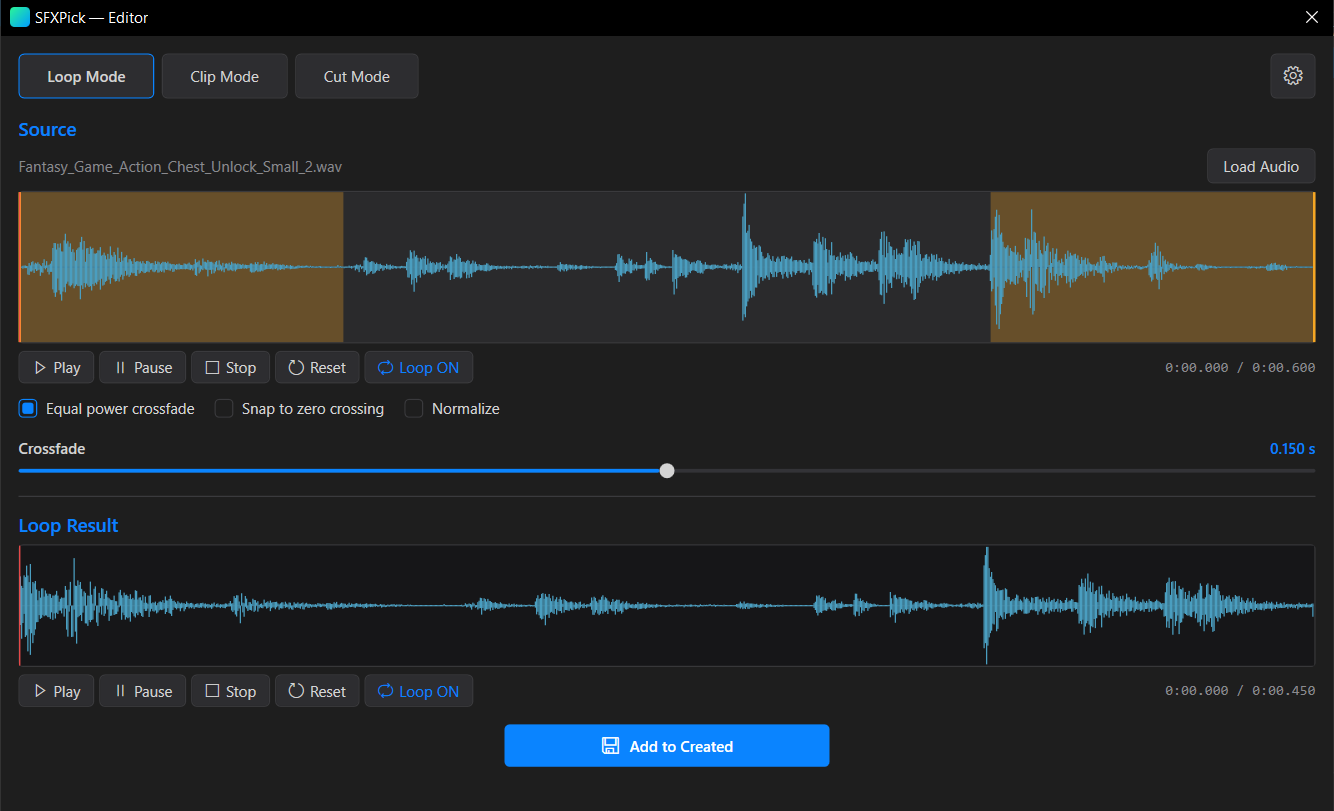
- C: open in the editor · /: search · F1: shortcuts help
In a few minutes a pack of 200 clips becomes a shortlist of the handful worth keeping.
✨ What it does
- Plays everything: including 24-bit, 32-bit and float WAV that browser-based tools choke on, plus FLAC, MP3, OGG, AIFF, M4A/AAC and WMA
- Real waveforms: see the shape of every clip and click or drag to scrub anywhere
- Favorites and notes: favorites are tags, so a sound can live in as many groups as you like, and nothing moves on disk
- Find Similar: right-click any clip to surface others that sound like it, ranked across your whole library, with a slider to widen or tighten the matches
- Built-in Loop / Clip / Cut editor: make seamless crossfade loops, clean clips with fades, or cut out regions, and results save into a Created folder ready to favorite or export
- Search and folder tree: instant fuzzy filename search (separators are ignored, so excuse me, excuse_me and excuseme all match), plus a nested folder tree to browse pack by pack
- Export your picks: copy every favorite into a folder in one click, with a notes file alongside
- Even-loudness export: match a group to the same perceived loudness (EBU R128 / LUFS) so every sound plays at an even volume, with no clipping
- Built for scale: tens of thousands of files stay snappy, tested on a real library of ~147,000 sounds
🔒 Safe by design
SFXPick is read-only. It never moves, renames or changes your audio files. The only time it writes anything is when you export favorites or save from the editor. It works completely offline, your audio never leaves your machine, and your index and picks live in a small local database.
💻 Install
- Download the zip, unzip anywhere, and run SFXPick.exe. There's no installer.
- The .NET runtime is bundled inside the exe, so there's nothing else to install.
- On first run, Windows SmartScreen may warn that the app is unrecognized (it isn't code-signed yet). Click More info, then Run anyway.
Windows only. Free · Local · No account.
For more info please visit https://sfxpick.com/
Download
Click download now to get access to the following files:
Leave a comment
Log in with itch.io to leave a comment.